Step 1
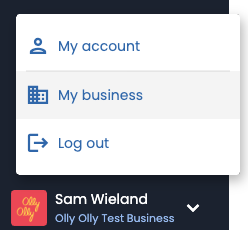
Click where your name and business name are showing in the bottom left of the menu and select “My business” from the drop down
Step 2
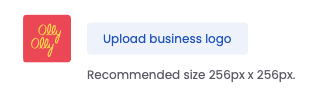
Scroll down to the section titled “Business Logo” and click “Upload Business Logo”
Step 3
From here you can choose to drag and drop or choose a file from your device. Once the file us added you can click “Apply”. Please note your logo file format must be PNG or JPEG
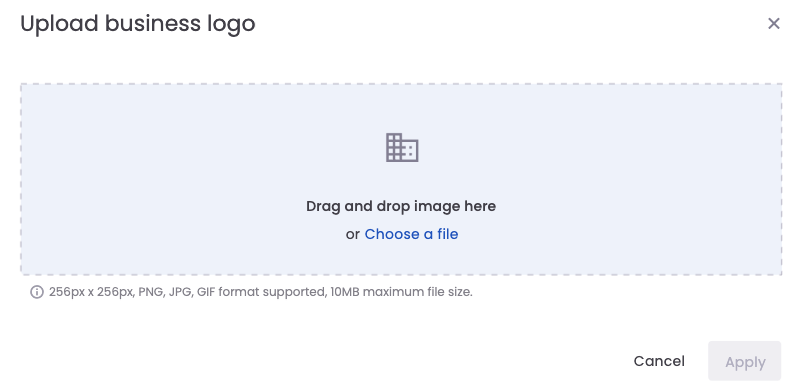
Once your business logo is added it will be automatically used to personalize your review request communications to your customers.
Need Help?
At Olly Olly, we’re here to help your business succeed. If you’re feeling stuck or need a hand, we’re just a call away. Your account manager is ready to walk you through each step so you can get back to doing what you do best—running your business! Schedule a call with your Account Manager now!