
Getting a bad review can feel like a punch to the gut, right? It’s disheartening and can hurt your reputation, potentially scaring off new customers. But don’t worry – you don’t have to just sit back and take it. There are steps you can take to manage bad reviews and protect your business’s reputation.
Google’s Rules: What You Need to Know
First, it’s important to understand that Google won’t let you remove a review just because you don’t like it – and that’s actually a good thing. It keeps online reviews honest and trustworthy. However, if a review breaks Google’s rules, you can ask to have it removed.
Here are some examples of reviews that can be flagged:
- Spam or fake content: If it’s clear that the review is fake or from a bot.
- Offensive language: Reviews that include swearing, hate speech or anything offensive.
- Conflict of interest: Reviews from current or former employees or anyone else who might have a personal stake.
It’s also worth noting that Google allows users to choose an alias for their Google Maps profiles. This means that reviews might be left under a name you don’t recognize, but this alone isn’t a valid reason to flag them. Flagging a review just because the name isn’t familiar doesn’t align with Google’s policies and such reports are unlikely to result in removal.
How to Report a Bad Google Review
If you find a review that breaks the rules, here’s how you can report it:
- From Google Maps
- Open Google Maps and search for your business.
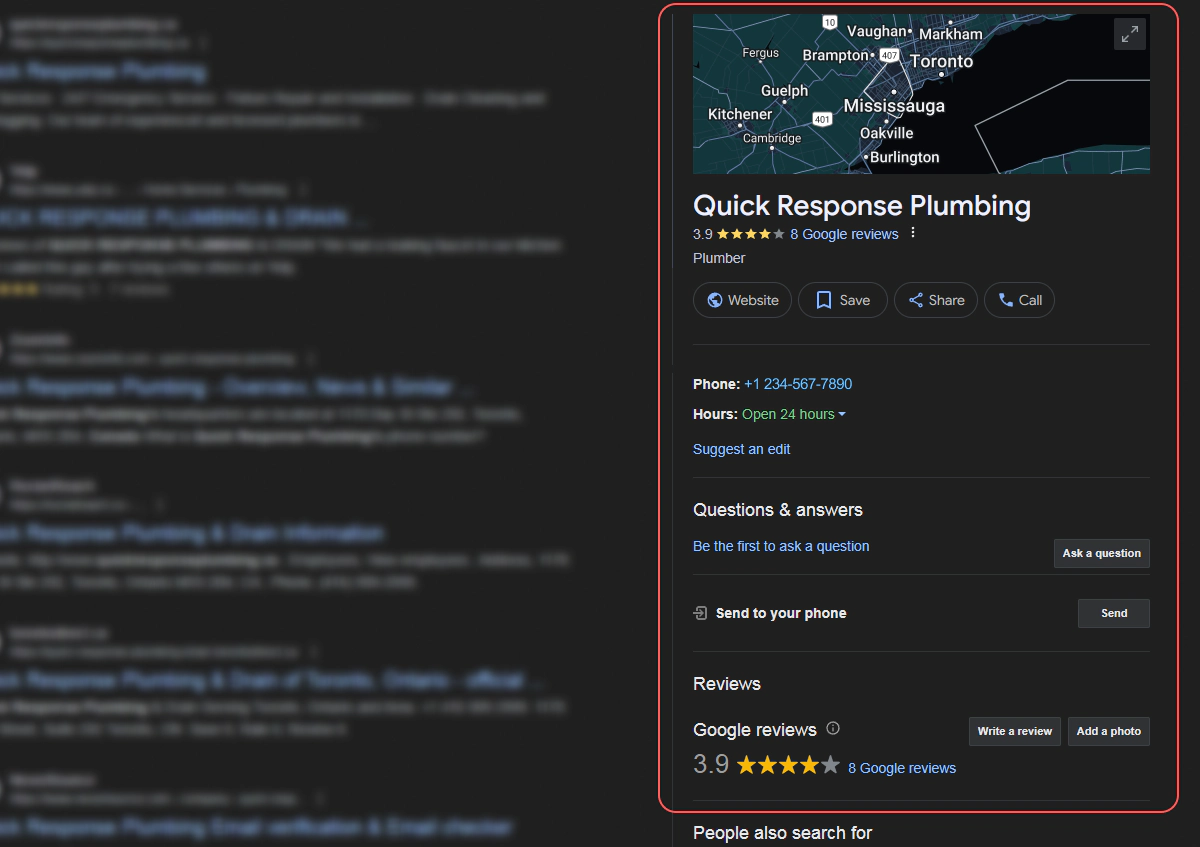
- Find the review that’s causing trouble.
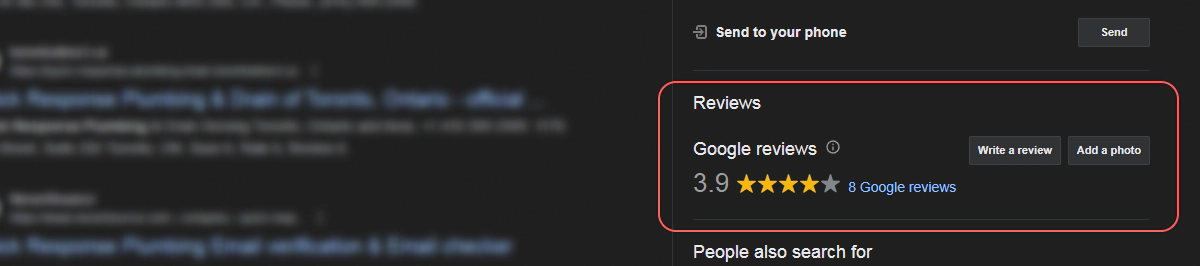
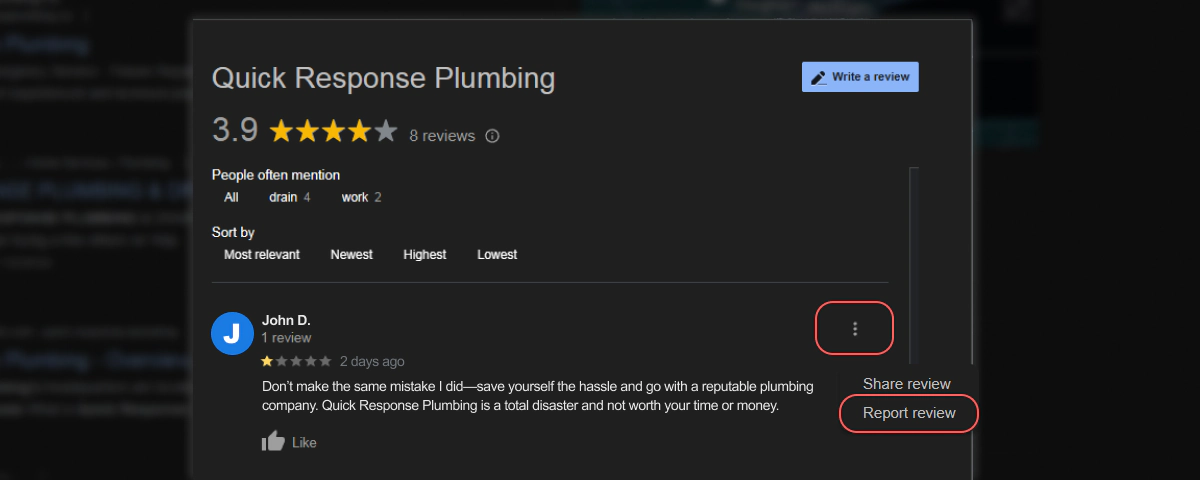
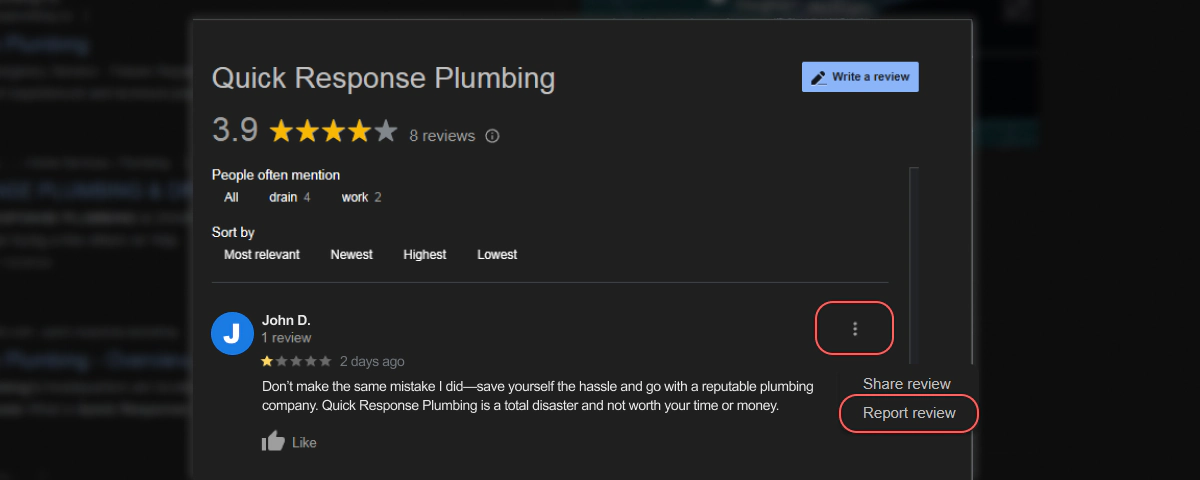
- Click the three-dot menu and select “Report review”
- Open Google Maps and search for your business.
- From Google Search
- Search for your business on Google.
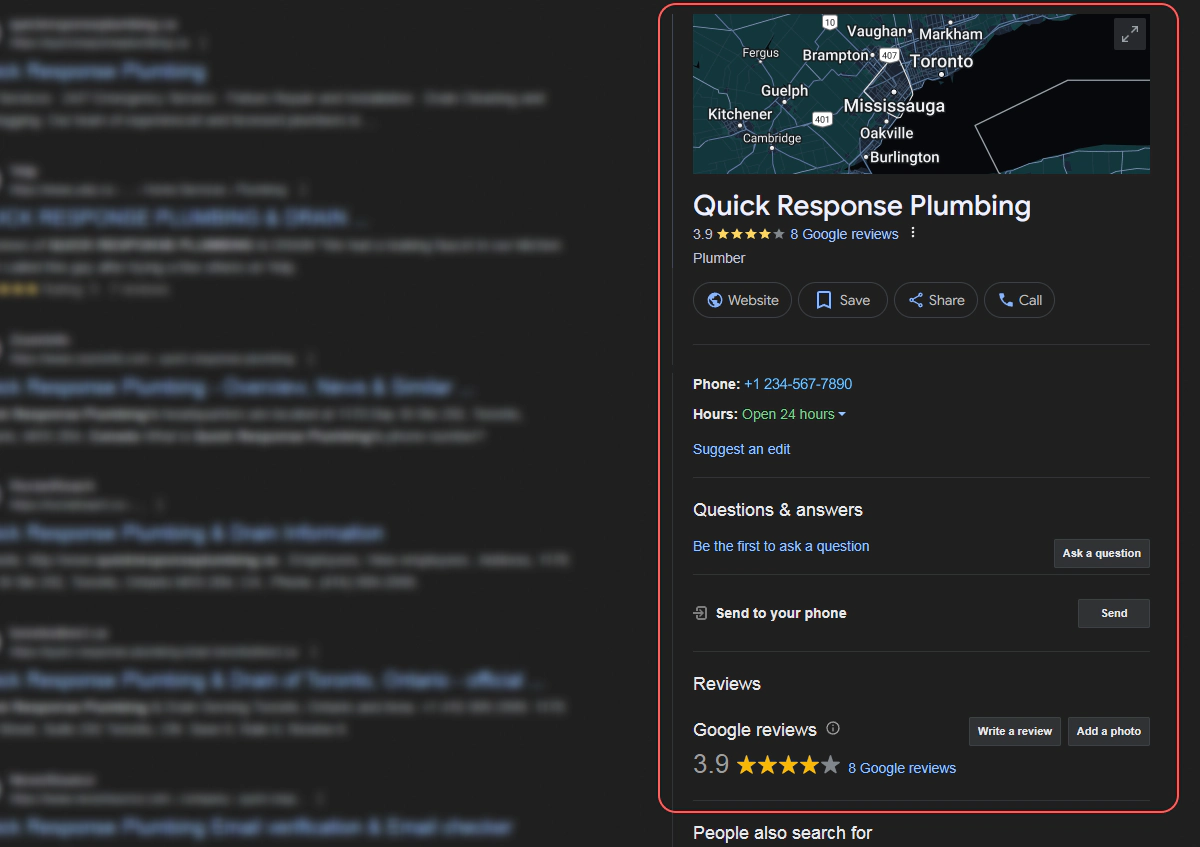
- Scroll down to the review you want to report.
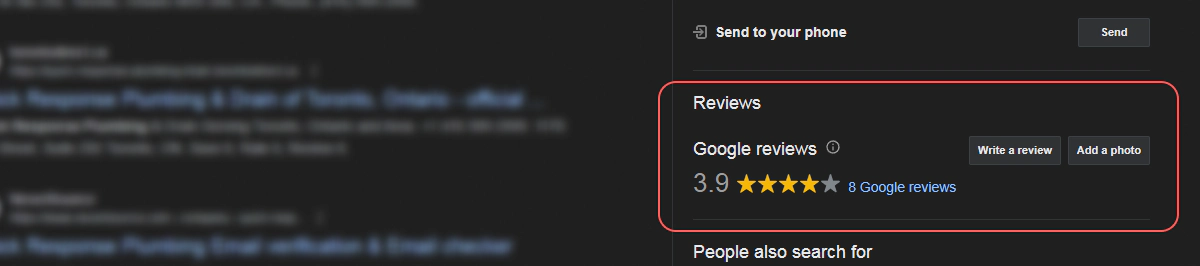
- Click the three-dot menu next to the review and select “Report review.”
- Search for your business on Google.
- From your Google Business Profile account
- Login to Google as the business listing owner or manager.
- Go to this page: https://support.google.com/business/answer/4596773?hl=en&co=GENIE.Platform%3DDesktop
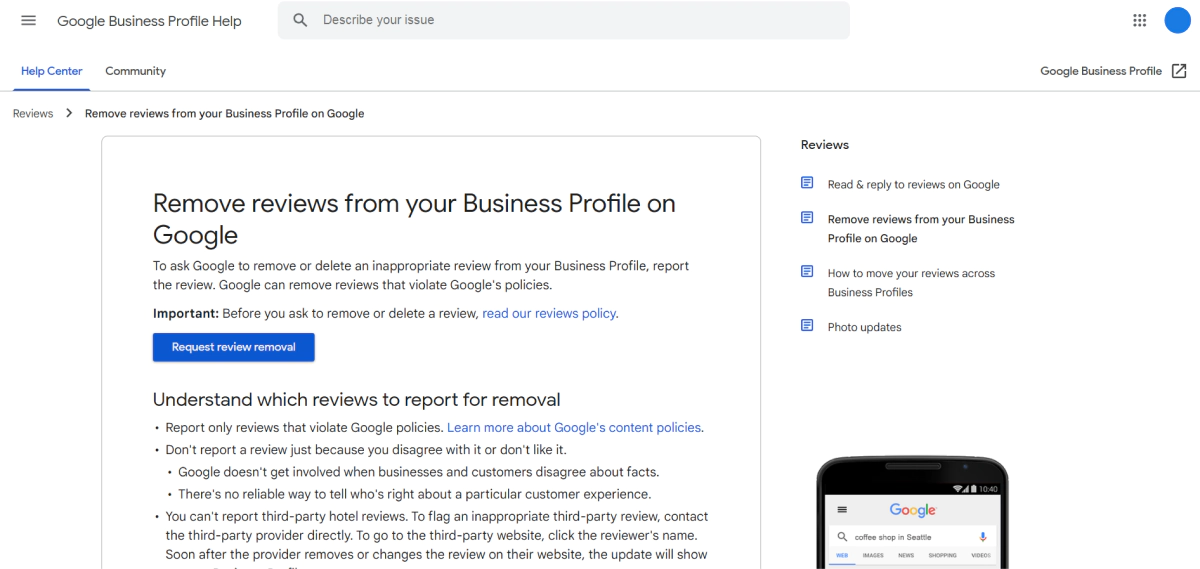
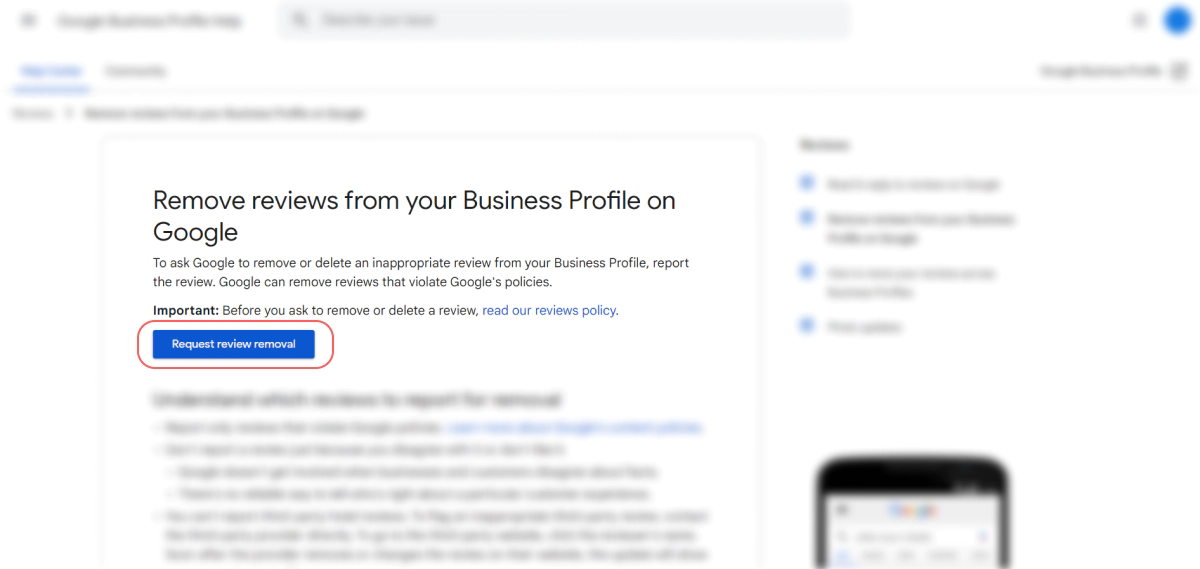
- Select the “Request review removal” button.
- Confirm that the email address showing is the correct email address & click “confirm”.
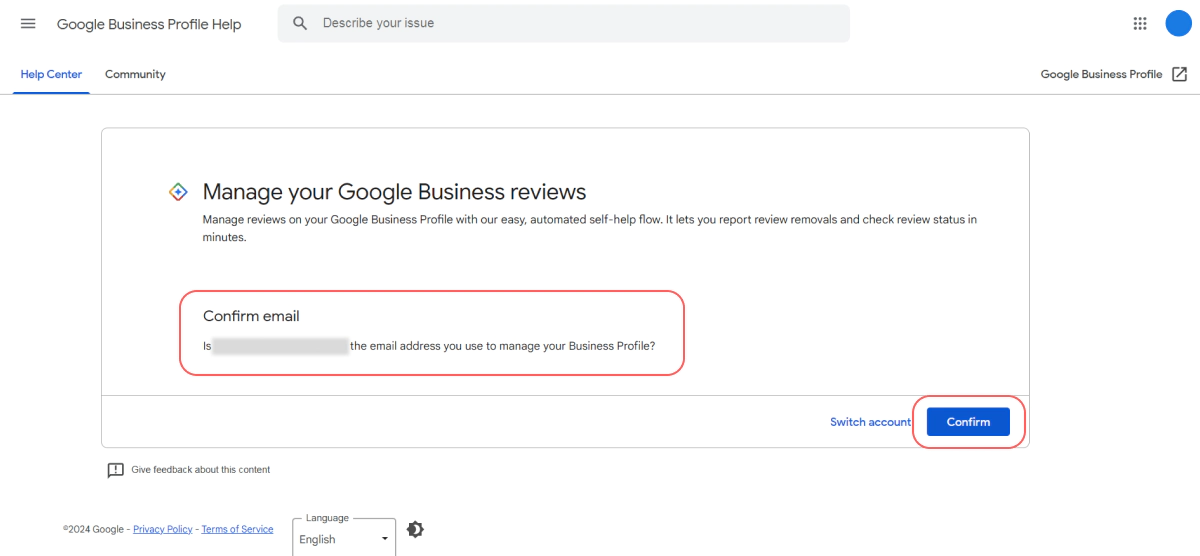
- Either select the correct business from the list or search for it and then select it.

- Click through to the list of reviews and click on the “Report” link.

- Select the correct reason for disputing the review from the list provided.
- From a reviews management tool
- If you’re using a reviews management tool, log in to your account.
- Navigate to the review and use the tool’s options to flag it as inappropriate.
What Happens After You Report a Google Review?
Once you report a review, Google will review it to see if it truly violates their guidelines. If it does, they’ll remove it. Typically, you’ll receive an email notification confirming that the review has been flagged and whether it has been removed. However, it’s important to note that sometimes there’s a delay between receiving the confirmation and the actual removal of the review.
In some cases, you might not receive a follow-up notification, but the review may still have been removed. Because of this, it’s best practice to periodically check your reviews even after reporting them. This ensures you stay informed about the status of flagged reviews and can confirm their removal.
Should You Report Every Bad Review on Google?
Not every bad review should be flagged. It’s important to only report reviews that clearly break Google’s rules.
Honest negative feedback, while tough to swallow, can actually help your business grow. It highlights areas for improvement and shows potential customers how you handle criticism.
But even if some reviews can’t be removed, there are still ways to maintain and improve your online reputation.
Managing Your Online Reputation
Even if you can’t remove every negative review, you can still manage your reputation effectively:
- Respond to reviews: A polite and professional response can turn things around. Thank customers for their feedback and address complaints calmly.
- Encourage positive reviews: Happy customers are your best advocates. Encourage them to leave positive reviews to balance out any negative ones.
- Regularly check reviews: Make it a habit to check your reviews weekly. This keeps you in the loop and allows you to address issues quickly.
Practical Tips for Handling Negative Reviews
Honest negative reviews can be tough to deal with, but here’s how you can handle them effectively:
- Don’t take it personally: Remember, negative reviews are part of doing business. Focus on using the feedback to improve your services.
- Respond quickly: A timely response shows that you care about your customers. Address their concerns and offer solutions if possible.
- Showcase positive feedback: Share your positive reviews on your website and social media to highlight the good experiences others have had.
The Bigger Picture
Reviews are just one part of managing your online reputation. Here’s how to ensure the whole picture looks great:
- Keep your Google My Business Profile up-to-date: Double-check that all your business information is accurate and up-to-date.
- Engage on social media: Keep your customers engaged by posting updates, sharing photos and interacting with them regularly.
- Create Quality Content on Your Website AND Google Business Profile (GBP): Google considers GBP Posts as a form of free advertising and social sharing, so make the most of this feature. Your posts can include calls to action, like “Call today” or “Use this promo code,” as well as updates about your business, recent work or industry news.
Making Reviews Easy with Olly Olly
Handling reviews doesn’t have to be a headache. The Olly Olly app helps you manage your reviews quickly and easily. With just a few clicks, you can ask customers for reviews and respond to them right away. This saves you time, keeps your online reputation strong and improves your visibility in the search results.
Got questions? Need more help? We’re just a phone call away! Your account manager will be happy to walk you through anything you’re unsure about. Schedule a call with your Account Manager now!
Not a client yet but want to take your business to the next level? Give us a call at 877-Olly-Olly today. We’re here to help you become the go-to business in your area.
Our Commitment to You
At Olly Olly, we understand how crucial your Google Business Profile is to your success. That’s why we stay up-to-date with the latest changes and best practices to ensure your business shines online. Our approach is simple: we prioritize genuine connections with your customers, ensuring your business is accurately represented and easy to find.
We’re not looking for shortcuts. We’re not trying to overcharge you. And never will.
