
Want to make sure you’re tracking your customers the right way? Converting a contact into a customer is an important step in managing your relationships and keeping tabs on who’s ready for that next level of engagement.
Whenever you send a review request to a contact, they’re automatically converted to a customer. Plus, a handy “review requested” tag is added, so you’ll always know who you’ve reached out to for feedback.
Prefer to do it manually? No problem. Just follow these two easy steps to convert a contact into a customer:
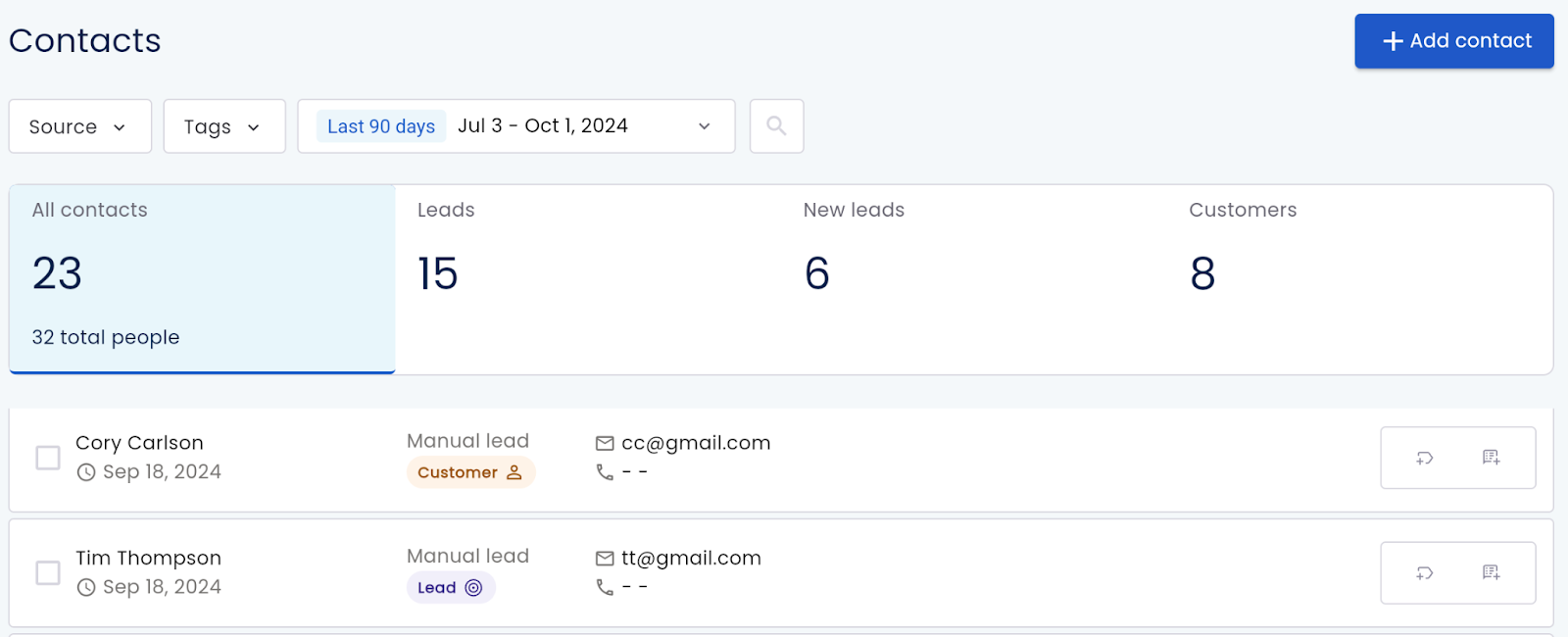
Step 1: Select the Contact
Find the contact you want to convert from your Dashboard or Contacts page. Just click on their name to open their details.
Step 2: Convert the Contact
In the upper right corner of the contact’s details page, you’ll see an option that says “Convert to Customer.” Click it and you’re done!

Why Does This Matter?
Keeping your contacts and customers organized helps you stay on top of things. By converting a contact, you’ll easily track who’s already crossed the finish line and who still needs a little nudge.
Need Help?
At Olly Olly, we’re here to help your business succeed. If you’re feeling stuck or need a hand, we’re just a call away. Your account manager is ready to walk you through each step so you can get back to doing what you do best—running your business! Schedule a call with your Account Manager now!
