
Want to link your Instagram Business account to your Olly Olly account? It’s quick and easy! Follow these simple steps, and you’ll be set up in no time.
Step 1: Go to Listings
Start by clicking on “Listings” in the navigation menu on the left-hand side of your screen. This is where you can manage all your business connections.

Step 2: Select the Instagram Section
Find the Instagram section and click the “Connect” button on the right side.

Step 3: Log In to Instagram
A new window will pop up with an Instagram login page. Log into an Instagram account that has access to the Instagram business page you want to connect.

Step 4: Choose Your Page
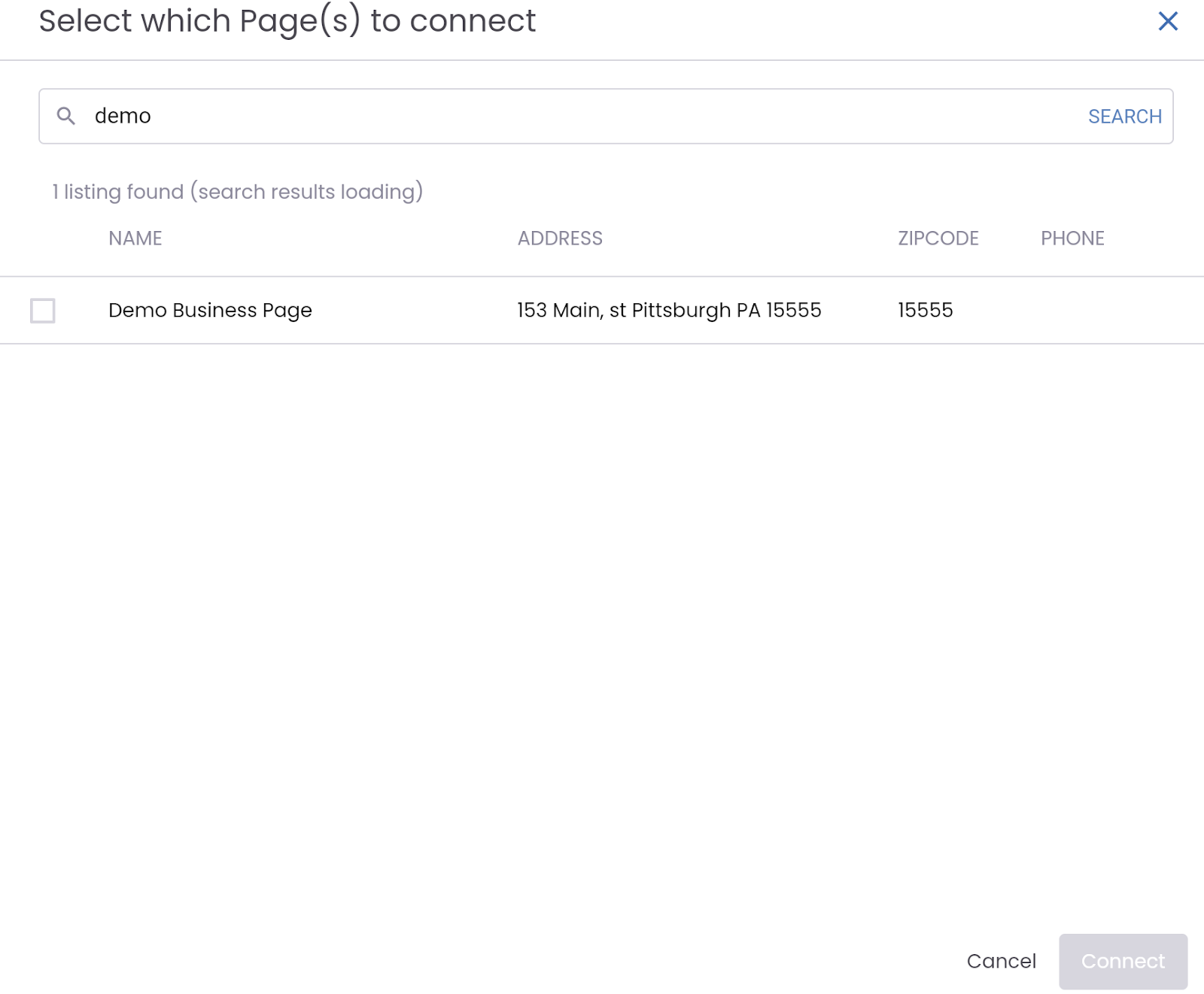
Once logged in, you’ll see a searchable list of all the Instagram Business Accounts that the logged-in Instagram account has access to. Select the pages you’d like to connect and click the “Connect” button in the bottom right corner.
Why Does This Matter?
Connecting your Instagram Business account allows you to manage your online presence more effectively. Without this connection, you won’t be able to publish posts, track engagement or take full advantage of your Olly Olly app’s social media planner feature.
If you want to make the most of your social media efforts, getting this set up is a must!
Need Help?
At Olly Olly, we’re here to help your business succeed. If you’re feeling stuck or need a hand, we’re just a call away. Your account manager is ready to walk you through each step so you can get back to doing what you do best—running your business! Schedule a call with your Account Manager now!
